
A technical SEO audit can produce hundreds of warnings in minutes and still fail to identify the issue costing you traffic. The useful work is not collecting a bigger crawl export. It is proving which technical faults prevent important pages from being crawled, indexed, rendered, or understood - then getting those faults fixed.
This guide walks through a practical technical SEO audit process that works for small marketing sites, large content libraries, ecommerce stores, and complex JavaScript applications. The goal is a prioritized implementation plan, not a decorative SEO audit report.
What a technical SEO audit is - and what it is not
A technical SEO audit is a systematic review of the infrastructure that affects organic visibility. It examines whether search engines can crawl, render, index, and interpret the right pages, along with site architecture, internal links, page performance, canonicalization, and structured data.
A broader SEO audit goes further. It may evaluate keyword targeting, content quality, backlinks, competitors, conversion paths, and channel performance. Those areas matter, but they are not all technical problems. A strong technical audit might flag that a high-value guide has no internal links or is excluded by a canonical tag; it does not need to decide whether the guide's copy satisfies search intent.
Link building is also not a core technical audit task. External backlinks can provide context about which pages carry authority or deserve priority, while internal-link distribution directly affects crawl paths and page relationships. Keep those jobs distinct so technical findings remain actionable.
Set the audit scope, baseline, and access before crawling
Start by deciding what you are auditing. For a small site, crawl the entire domain. For a large site, include representative templates, major directories, high-traffic pages, revenue pages, recently launched sections, and any area affected by a migration or platform change.
Capture a baseline before making changes. Record organic traffic, organic conversions, ranking trends, indexed-page estimates, Core Web Vitals, and the dates of recent releases. If traffic dropped after a CMS deployment on July 12, that detail is more useful than a generic recommendation to "improve technical health."
Gather access to Google Search Console, analytics, XML sitemaps, robots.txt, CMS or deployment history, and your crawl tool. For larger organizations, ask for a release calendar and staging environment as well. A reusable technical SEO audit template keeps this process consistent: scope, data sources, checks performed, evidence, issue severity, owner, and retest status should all have a defined place.

Crawl the site and build an issue inventory
Run a crawl that collects URLs, status codes, title tags, meta descriptions, canonical tags, robots directives, internal links, click depth, hreflang annotations, and duplicate-page clusters. Include XML sitemaps in the crawl so you can compare the URLs your site submits with the URLs a crawler can actually discover.
Set the crawler up carefully. Use a consistent user agent, enable JavaScript rendering when the site relies on client-side content, and exclude irrelevant parameters only when you understand their purpose. Otherwise, you risk hiding the exact URL variants creating duplication or crawl waste.
Do not turn every tool warning into an engineering ticket. Verify the issue, identify the affected template or system, and record an example URL. Your issue inventory should include severity, likely cause, number of affected pages, business relevance, proposed owner, and the evidence needed to validate a fix.
Use tools for discovery, not automatic diagnosis
The best technical SEO audit tool depends on the site. A small, mostly static site needs different capabilities than a marketplace with millions of parameterized URLs or a JavaScript application that renders key content in the browser.
A crawler is the core discovery tool, but pair it with Google Search Console, PageSpeed Insights, browser developer tools, and manual checks. A free technical SEO checker can surface obvious errors, but it cannot reliably determine whether a canonical is intentional, whether a page is valuable, or whether a fix has introduced a rendering failure.
Semrush
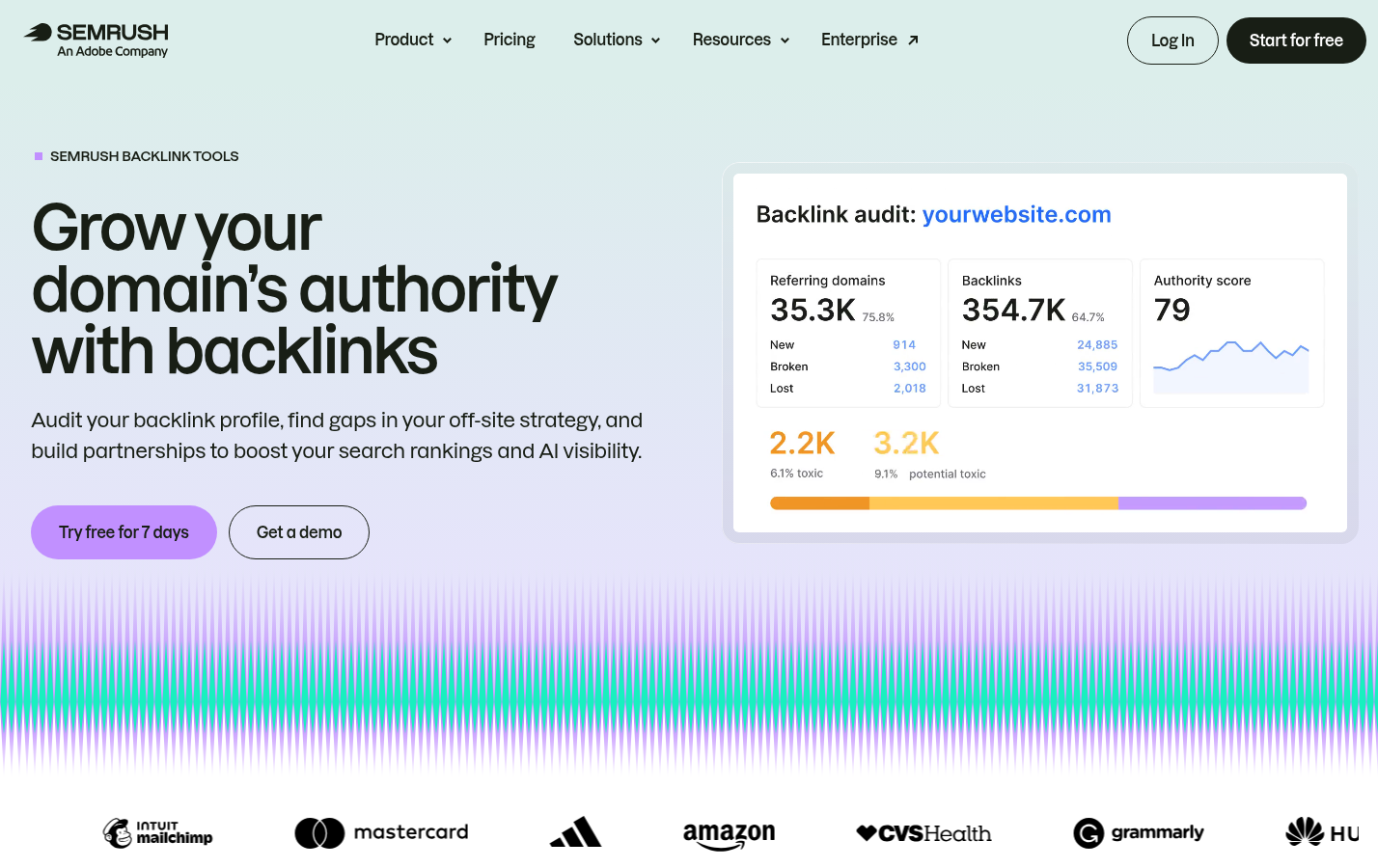
Semrush is useful for supporting context, particularly when you need to understand backlink patterns, competing pages, and the external visibility of URLs affected by technical problems. For example, if a redirected resource page has strong referring domains, its redirect path deserves a more careful review than an unlinked, low-value archive page.
Its limitation is that backlink data does not replace crawl, rendering, server, or indexation evidence. Use it to inform priority, then validate the technical condition with your crawler and Search Console.
Check whether search engines can crawl, render, and index the right pages
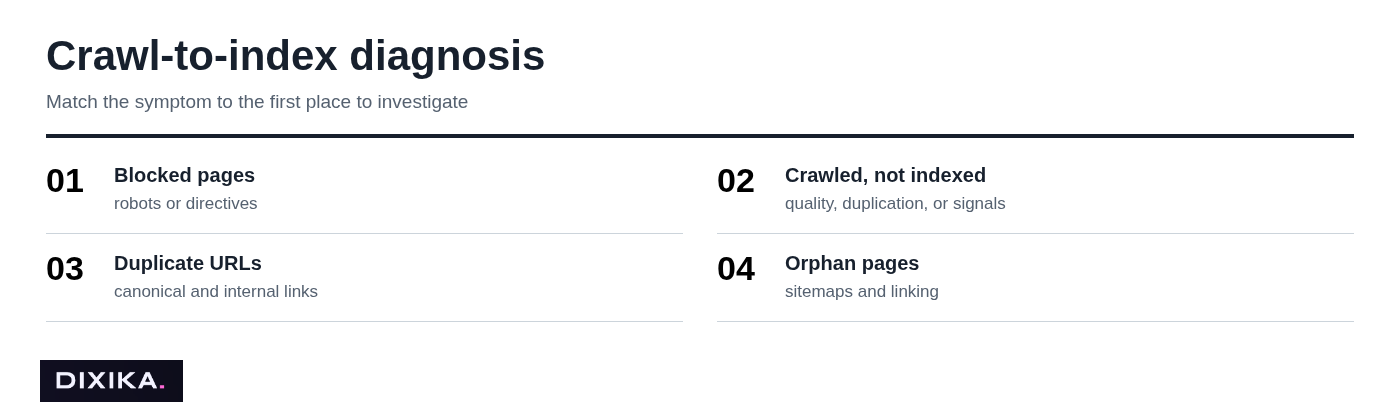
Start with failures that can keep important pages out of search entirely: robots.txt blocks, meta robots tags, X-Robots-Tag headers, authentication barriers, accidental noindex directives, server errors, redirect chains, redirect loops, and soft 404s. Check both the raw response and the rendered version of relevant templates.
Then compare three groups: URLs in XML sitemaps, URLs discovered by your crawl, and URLs Google reports as indexed or excluded. The gaps reveal common problems. Sitemap-only URLs may be orphaned. Crawlable URLs absent from sitemaps may be low-value filters or accidental duplicate paths. Large groups of indexed parameter pages may indicate index bloat.
For JavaScript-heavy sites, confirm that essential copy, internal links, canonicals, and metadata appear in rendered HTML. A page that looks complete in a user's browser can still send incomplete signals to crawlers if the application fails, loads too slowly, or depends on blocked resources.
Validate indexation in Google Search Console
Use the Page Indexing report to find recurring exclusion patterns, then inspect representative URLs from each pattern. If 400 product pages are marked "Excluded by noindex tag," identify the template rule or CMS setting responsible instead of removing directives one URL at a time.
Use URL Inspection to check the live page, Google-selected canonical, and crawl status. Treat indexed-page counts and individual site: searches as directional clues, not precise diagnostics. They are useful alongside crawl data, sitemap counts, server responses, and rendered-page checks.
Audit site architecture, URLs, and internal linking
Important pages should be reachable through logical navigation and contextual internal links, not only through an XML sitemap or a site-search result. Review click depth, breadcrumb paths, category pages, related-content modules, and links from high-authority pages to ensure priority URLs are not buried several layers deep.
Find orphan URLs, broken internal links, redirect chains, inconsistent trailing-slash versions, parameter duplicates, and competing canonical paths. A product may be available at five URL variants, but the site should consistently link to one preferred version and clearly signal that preference to search engines.
Internal linking is not external link building. Internal links shape site structure, crawl routes, and topical connections under your control. Link-building strategies for SEO seek relevant third-party references; they can strengthen authority, but they do not repair a broken navigation system.
Review page experience and technical performance by template
Review mobile usability, HTTPS coverage, mixed-content warnings, responsive behavior, Core Web Vitals, and the resources slowing pages down. Common culprits include oversized images, unoptimized fonts, render-blocking CSS or JavaScript, weak caching rules, and too many third-party scripts.
Test representative templates, not just the homepage. A fast homepage tells you little about an ecommerce product page with a gallery, reviews widget, personalization script, and third-party checkout assets. Test traffic-critical URLs separately, especially landing pages and templates with poor field data.
Use field data when it is available and lab tests to diagnose likely causes. Do not promise that improving one speed metric will automatically improve rankings. Performance work is valuable because it can improve crawl efficiency, user experience, and conversion behavior, but its SEO effect depends on the wider site and query context.
Validate canonicalization, duplicate content controls, and international targeting
Check that canonical tags point to valid, indexable URLs that return a 200 status. Look for self-referencing canonicals where appropriate, canonical targets that redirect or error, conflicting directives, and cross-domain canonicals that were added accidentally.
For faceted navigation and URL parameters, choose a control based on user value and search behavior. Consolidate duplicate URLs when a single version should exist. Use a 301 redirect when an old URL has a clear permanent replacement. Use canonicalization when variations need to remain accessible but should consolidate signals. Use noindex when a page is useful to visitors but should not compete in search. Leave pages alone when they are genuinely distinct and valuable.
Review hreflang only when the site serves multiple languages or regions. Confirm reciprocal annotations, valid language-region codes, aligned canonical URLs, and meaningful local differences. Adding hreflang to pages with identical content and no regional targeting strategy is not a shortcut to international rankings.
Test technical SEO schema and rich-result eligibility
Structured data should reflect visible page content and use the schema type that fits the page. Validate required properties, entity names, dates, prices, availability, and other data points against what users can actually see.
Use Google's validation tools and relevant Search Console enhancement reports, then test representative templates after deployment. This is especially important when schema is generated by a CMS plugin or component shared across thousands of URLs.
Valid schema does not guarantee a rich result. Search engines decide when and whether to display enhanced results. However, invalid, misleading, or unsupported markup can remove eligibility and create maintenance work without producing a benefit.
Prioritize fixes by impact, confidence, effort, and risk
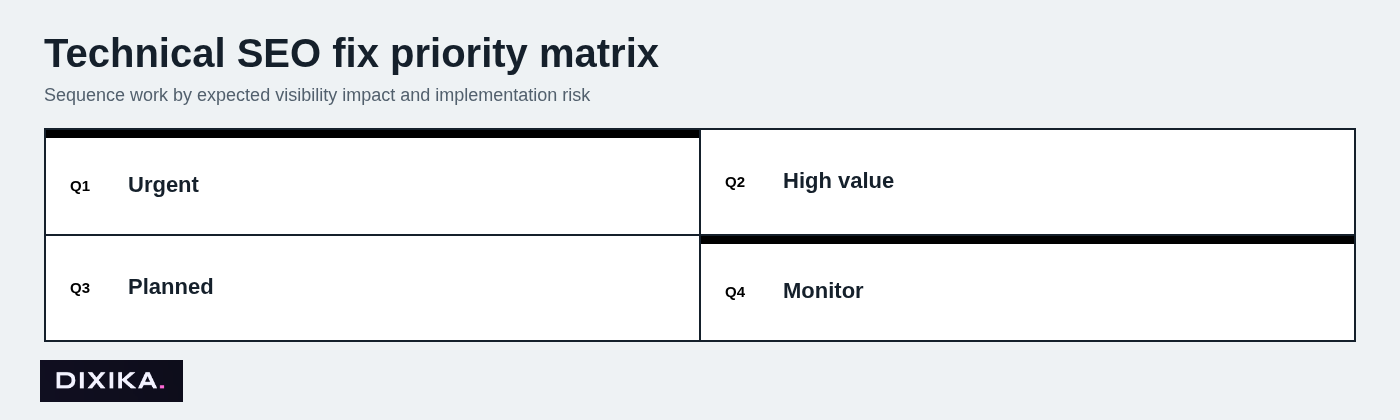
A crawl export is not a roadmap. Rank indexing blockers and revenue-page issues above cosmetic warnings, then weigh expected impact against confidence, implementation effort, and release risk.
Before assigning engineering work, apply one decision rule: determine whether the problem is a sitewide template defect or an isolated URL anomaly. A missing canonical caused by a shared product template may affect 20,000 pages and deserves immediate investigation. A malformed tag on one expired campaign page may simply need a small content or CMS correction.
Every recommendation should specify the evidence, affected URL count and templates, expected benefit, implementation owner, dependencies, QA method, and rollback risk. That level of detail prevents technical SEO tickets from becoming vague requests developers cannot estimate.
Create a technical SEO audit report that teams can act on
A useful SEO audit report is concise at the top and specific in the details. Start with an executive summary: what is limiting visibility, what should happen first, and what business areas are affected. Follow it with the baseline, audit scope, methodology, prioritized findings, evidence, implementation tickets, owners, timeline, and measurement plan.
Add a technical SEO audit checklist as an appendix so stakeholders can see the areas reviewed without confusing a checklist with analysis. The checklist may cover crawlability, indexation, architecture, performance, canonicals, international targeting, and structured data. The report should explain which findings matter on this site and why.
Include screenshots, sample URLs, before-and-after metrics, deployment dates, and retest dates. These records make the document useful to developers who need to reproduce an issue and to leadership teams that need to assess progress.
Implement, QA, and re-crawl to prove the fix
Audit work is incomplete until fixes are deployed and verified. When possible, test changes on staging first. Check rendered output, HTTP headers, robots directives, canonical tags, sitemap behavior, and internal links before release.
After deployment, re-crawl the affected templates and compare the results with your original evidence. Use Search Console validation where relevant, monitor URL Inspection for representative pages, and track organic traffic and conversions over time. Search engines may need time to recrawl and process changes, so do not declare success the day a ticket closes.
A common mistake is verifying only the single example URL included in the audit. The correct approach is to test multiple URLs across the affected template, plus edge cases such as paginated pages, filtered views, or alternate language versions.
Run a full technical SEO audit quarterly or semiannually for most established sites. Add targeted checks after migrations, template changes, CMS updates, major feature releases, or unexplained traffic declines.

Can you do your own audit, use ChatGPT, or hire an audit service?
Most teams can complete a basic self-audit. Google Search Console, a crawler, PageSpeed Insights, and a disciplined checklist are enough to find many common crawl, indexation, and internal-link issues.
Specialist help becomes more valuable when the site is large, JavaScript-heavy, multilingual, recently migrated, or dealing with persistent indexing problems. It is also worth bringing in an experienced technical SEO audit service when your team has identified issues but lacks the capacity to translate them into safe implementation requirements. Review Dixika's services if you need support connecting findings to implementation.
ChatGPT can help organize exported findings, turn verified issues into clearer tickets, summarize recurring patterns, and suggest questions to investigate. It cannot independently perform a reliable audit without access to accurate crawl data, rendering results, logs, Search Console evidence, and human verification. Never treat generated explanations as proof that a technical condition exists.
How long does an SEO audit take? A focused small-site review may take several days. A comprehensive audit commonly takes one to several weeks, depending on page count, platform complexity, available access, and whether implementation planning is included.
How much do SEO audits cost? There is no meaningful average audit fee because scope varies substantially. A single audit for a small, simple site is priced very differently from a multilingual ecommerce audit with log-file analysis and developer-ready tickets. Request a scope that identifies page volume, templates, data access, deliverables, retesting, and whether implementation support is included.
Do not confuse SEO audits with financial compliance audits. A CPA is not required for a technical SEO audit, and government or nonprofit Single Audit requirements do not apply here. Those are financial audit concepts with different rules, exemptions, and eligibility requirements.
Is it worth paying for SEO? It can be, when there are measurable blockers, a realistic opportunity size, a team able to implement fixes, and a follow-up measurement plan. Paying for a report that nobody can execute is rarely worthwhile. Paying to resolve a sitewide noindex error, migration failure, or internal-linking problem on high-value pages can be highly worthwhile.
Make the technical SEO audit a repeatable operating practice
Crawl data becomes valuable only when it is validated, prioritized by business impact, implemented, and retested. Treat the audit as an operating practice tied to releases and performance monitoring, not a one-time document filed after a quarterly meeting.
Teams that need help connecting technical fixes with content systems, authority building, and AI-search visibility can explore Dixika's SEO services.