
A technical SEO audit service should do more than send you a spreadsheet full of red, yellow, and green warnings. Its job is to identify the technical conditions preventing important pages from being crawled, indexed, understood, or served well to users - and then turn those findings into a practical implementation plan.
What a Technical SEO Audit Service Should Actually Deliver
A proper audit reviews crawlability, indexability, internal architecture, redirects, canonicalization, XML sitemaps, robots directives, rendering, performance, mobile behavior, security, and structured data where it applies. It should also consider technical signals that affect visibility in AI-driven search experiences, such as clean access to pages, consistent entities, and content architecture that makes source material easy to interpret.
That is different from broad SEO optimization services. Content strategy addresses what to publish and improve; link-building focuses on authority; promotion distributes content. Technical SEO creates the foundation that lets search engines and users reliably reach, render, and understand the work you have already invested in.
Decide Whether You Need a Service, a DIY Audit, or Both
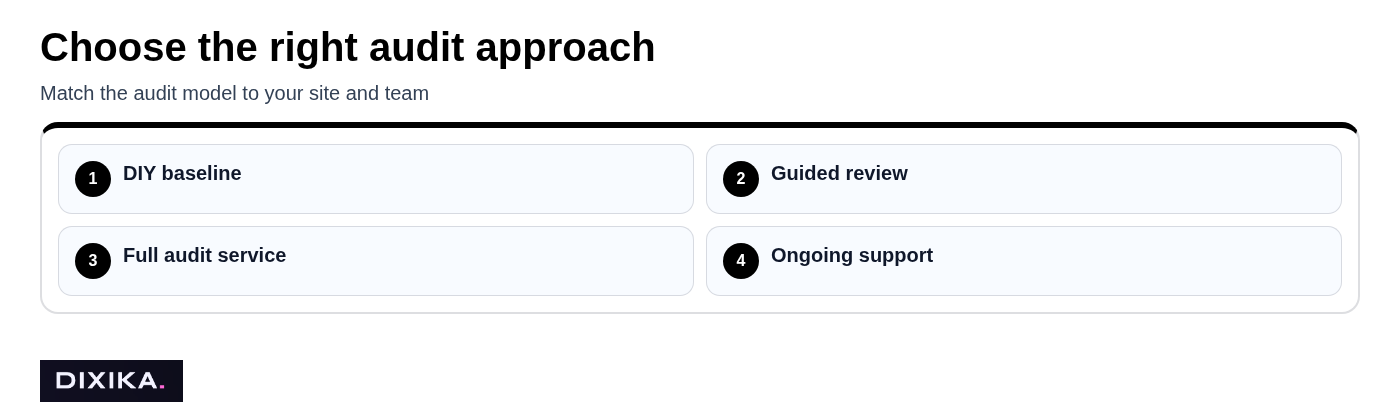
This step helps you choose an audit model that matches the risk and complexity of your site. Paying for SEO services is worth it when the likely cost of unresolved technical problems exceeds the cost of diagnosis and implementation support.
A small brochure site with 20 to 50 pages can often begin with a DIY baseline audit. Check Google Search Console for indexing patterns, crawl the site with a reputable crawler, review page speed on key templates, and make sure redirects, canonicals, and sitemaps are behaving as intended. That process will catch obvious problems without requiring a major engagement.
Specialist help becomes more valuable when organic traffic meaningfully supports pipeline or revenue, pages are persistently excluded from the index, a redesign or migration is approaching, or the site has complicated templates and integrations. Ecommerce catalogs, multilingual sites, SaaS platforms, publishers, and JavaScript-heavy applications can produce issues that are easy to detect but difficult to diagnose correctly.
The best middle ground for many teams is a guided review: your developers and marketers can implement fixes, but an experienced auditor determines what deserves attention first. This avoids a common waste of effort: spending weeks fixing low-impact warnings while canonical conflicts, rendering failures, faceted navigation, or internal-link dead ends continue to suppress important pages.
Set the Scope and Success Criteria Before You Shop
This step gives providers enough context to propose work that solves a business problem rather than merely producing a report. Start by writing down the outcome you need: recover wrongly excluded product pages, protect organic traffic during a migration, improve qualified traffic to a SaaS feature set, or remove page-speed barriers on revenue-driving templates.
Then document the conditions around that outcome. Include the affected folders or templates, target countries and languages, CMS or commerce platform, recent releases, migrations, redesigns, analytics trends, and known developer constraints. A provider should also know whether your team can ship fixes promptly or whether recommendations must pass through a long engineering queue.
Do not ask for an estimate based only on domain name and page count. Two sites with 10,000 URLs can require radically different work: one may have a simple static architecture, while the other has dynamic filters, duplicate parameter URLs, client-side rendering, international hreflang rules, and several analytics implementations.
Set a success measure that can be validated. For example, success might mean reducing accidental noindex coverage to zero on a specific template, restoring 301 redirect coverage after a migration, improving largest contentful paint on category pages, or increasing the percentage of submitted pages that are indexed. Rankings may follow, but they are not the only useful outcome of a technical project.
Check Whether the Audit Scope Covers the Issues That Matter
This step ensures the provider examines the systems that can actually limit search visibility. Ask for a documented crawl methodology, the tools used, whether JavaScript rendering is checked, how large sites are sampled, and what access the team needs before work begins.
At a minimum, an audit should assess crawlability and indexation, status codes, redirect chains, canonical signals, XML sitemaps, robots rules, internal linking, and site architecture. The scope should also include mobile experience, Core Web Vitals, HTTPS and security basics, duplicate-content patterns, and structured data when your pages are eligible for relevant rich-result features.
For sites that rely on client-side frameworks, rendering needs particular attention. A crawler seeing HTML after JavaScript execution does not automatically prove Google receives the right content at the right time, nor does it reveal whether key links, metadata, canonicals, and pagination controls are consistently available.
AI-search readiness belongs in a modern review, but it should be handled honestly. A useful audit can assess machine-readable entities, accessible page content, source-worthy information architecture, citation-friendly facts, and technical obstacles to retrieval. No credible provider should guarantee placement in AI answers or promise that structured data alone will create citations. Teams exploring this area can also review Dixika's GEO and LLM optimization playbook.
Look for Scope Gaps and One-Size-Fits-All Checklists
This step prevents you from buying a generic checklist that overlooks the way your site actually works. "Comprehensive audit" is not a meaningful promise unless the provider explains what is included, what is excluded, and which site sections will receive template-level analysis.
An ecommerce audit should account for category pages, product variants, out-of-stock handling, filters, sorting, and pagination. A SaaS site may need closer review of documentation hubs, login barriers, feature-page architecture, and JavaScript rendering. Publishers need attention to archives, pagination, news or article markup, syndication, and the crawl impact of large volumes of aging content.
International sites need a careful review of language and regional targeting, hreflang implementation, localized canonicals, and market-specific URLs. The common mistake is buying the same 40-point checklist for every site type; the correct approach is to use a core technical framework and adjust the investigation to the platform, templates, risks, and goals.
Demand an Audit Deliverable Your Team Can Implement
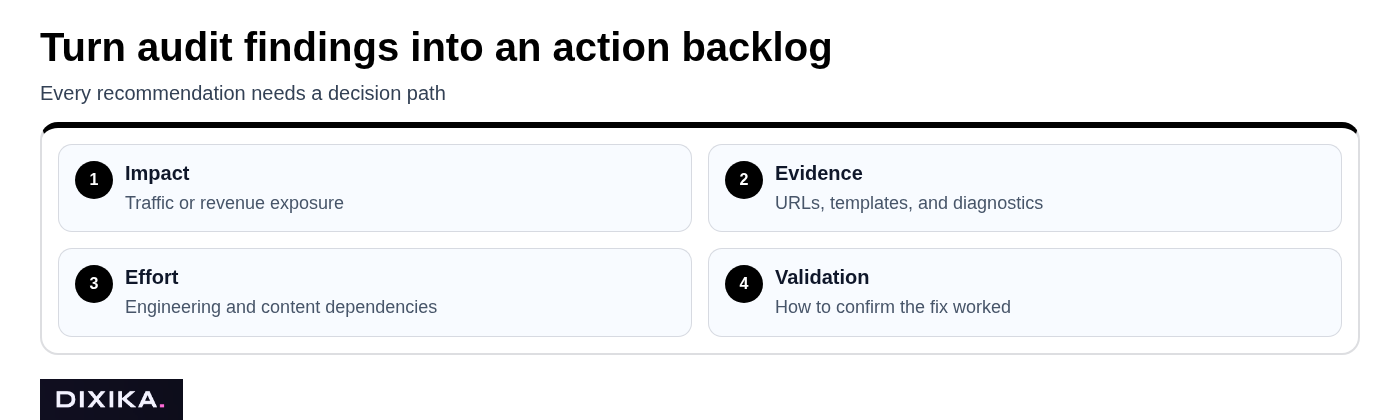
This step turns diagnosis into work your organization can actually ship. A decision-ready audit finding should include the evidence, affected URLs or templates, severity, likely cause, recommended fix, owner, estimated effort, dependencies, and a clear method for validating the result after release.
Prioritization is the main difference between a useful audit and a long tool export. Each finding should be ranked by likely business impact, confidence in the diagnosis, implementation effort, and risk. A duplicate title tag on two low-traffic pages is not equivalent to a canonical rule preventing an entire product category from being indexed.
Be skeptical of reports where every issue is labeled "critical." That label is meaningless without affected scope and an expected outcome. Ask whether the issue affects 10 URLs or 100,000, whether it blocks crawling or merely creates a minor quality signal, and how the provider will know the fix worked.
Many audit providers promise a report and a roadmap but stop short of creating an engineering-ready backlog. The stronger deliverable can be converted into tickets without developers having to reverse-engineer the recommendation. That may include example URLs, expected behavior, acceptance criteria, and links to supporting documentation.
Evaluate the Provider's Process, Expertise, and Collaboration Model
This step clarifies whether the provider will help solve problems or simply identify them. A one-time audit, remediation support, and ongoing technical SEO monitoring are different services, so ask exactly where the engagement begins and ends.
A one-time audit may be right for a stable site with an experienced internal team. Remediation support is more useful when developers need help interpreting edge cases, testing changes, and verifying production behavior. Ongoing support makes sense for sites with frequent releases, recurring technical debt, large content operations, or ongoing migration work.
Ask about stakeholder interviews, kickoff requirements, findings reviews, implementation meetings, quality assurance after releases, re-crawls, and final documentation. Clarify who owns each phase: the auditor, your SEO lead, product manager, developer, agency partner, or content team.
Choose a provider that can speak with developers in practical terms. "Improve crawl budget" is not an instruction; "prevent infinite filtered URLs from generating indexable pages and block non-value parameters after confirming analytics requirements" is closer to one.
Verify Technical Depth With Evidence, Not Tool Logos
This step helps you distinguish diagnostic skill from access to popular software. Most capable providers use established SEO audit tools, but tool logos, certifications, and automated scorecards do not prove that someone can interpret conflicting signals or recommend a safe fix.
Ask for anonymized examples that show the issue, investigation, fix, validation, and business context. A credible case discussion might explain how an audit identified inconsistent canonicals across paginated category pages, how the rule was corrected, and how indexed-page patterns and crawl data changed afterward.
Also ask how the provider handles false positives. A crawl can flag every redirected URL, duplicate page, blocked resource, or missing field as an error even when that behavior is intentional. Good technical SEO requires context: a recommendation that improves an audit score but damages conversion tracking, user experience, or a necessary application workflow is not a good recommendation.
If your stack is unusual, ask directly about relevant experience. Platform familiarity matters most when the work touches Shopify, WordPress, Webflow, headless CMS setups, React or Next.js applications, enterprise commerce platforms, or multi-domain international architectures.
Compare Technical SEO Audit Service Pricing and Proposals
This step lets you compare proposals by the work required rather than the cheapest headline number. Audit costs vary with the site, the depth of investigation, and whether the provider is expected to support implementation.
As a practical set of planning ranges, a lightweight review for a small, straightforward website may cost roughly $500 to $2,000. A more thorough mid-market audit with template analysis, stakeholder sessions, prioritization, and a detailed roadmap often falls around $2,500 to $10,000. Enterprise, international, migration-focused, or JavaScript-heavy engagements can run $10,000 to $30,000 or more when they involve log-file analysis, extensive rendering checks, complex data review, and remediation support.
Those ranges are not fixed rates. Page and template count, platform complexity, internationalization, data access, log analysis, the urgency of a migration, deliverable depth, and post-audit QA all affect price. A low-cost proposal may be reasonable for a small site, but it is not comparable to a service that interviews stakeholders, tests rendered output, creates implementation tickets, and validates fixes.
Compare the expected decision value. If a migration mistake could remove thousands of high-intent pages from search, paying for careful pre-launch and post-launch technical review may be cheaper than recovering visibility later. Conversely, a five-figure audit is hard to justify for a simple local site with a small number of stable pages and no meaningful technical risk.
Questions to Ask Before You Hire an SEO Audit Provider
This step gives you a short procurement checklist that exposes vague proposals quickly. Ask these questions before signing, not after you receive a report.
- What pages, templates, subdomains, markets, and languages are in scope?
- What is excluded, and why?
- How will you crawl and assess rendered JavaScript content?
- Will you review Google Search Console, analytics, server logs, and staging environments where available?
- Can you show a sample finding with evidence, root-cause reasoning, implementation guidance, and validation steps?
- How do you prioritize impact, confidence, effort, and risk?
- Who will attend findings reviews and support developer questions?
- Do you re-crawl or QA fixes after deployment?
- What access do you require, and can it be provided with least-privilege permissions?
- What is the timeline for kickoff, analysis, findings, and follow-up?
The most revealing question is often simple: ask the provider to walk through one anonymized finding from detection to validation. A generic report template shows formatting; that example shows whether the team can reason through technical ambiguity and collaborate on a usable fix.
Use the Audit as a Fix-and-Validate Workflow
This step converts an audit from a static document into an operating process. Before kickoff, share business goals, recent site changes, upcoming releases, known concerns, and a list of people who can make decisions across marketing, product, engineering, and analytics.
Grant only the access needed for the work. Search Console and analytics permissions, read-only CMS access, crawl access, and staging details may be appropriate, but credentials should be managed through your normal security process. Confirm whether the provider may crawl staging, whether test pages can be indexed, and which production actions require written approval.
Once findings arrive, schedule a working session rather than forwarding a PDF into a backlog. Convert approved recommendations into tickets with an owner, due date, technical acceptance criteria, and validation method. For example, a canonical fix should specify the affected template, the intended canonical URL pattern, how edge cases are handled, and how the team will check the deployed output.
Test high-risk changes before they reach production. Redirect rules, robots directives, canonical templates, pagination changes, and JavaScript rendering updates can create broad consequences from a small configuration error. Protect conversion paths and tracking, document the release, then re-crawl key templates and review Search Console patterns after deployment.
Now that fixes are live, measure the right signal on the right schedule. Rendering and redirect checks can be immediate, while indexing and organic performance changes may take days or weeks. The audit is complete only when the highest-priority recommendations have been implemented, tested, and either validated or revisited.
Use SEO Audit Tools and AI Without Mistaking Them for the Audit
This step keeps automation in its proper role: accelerating discovery, not replacing judgment. SEO audit tools can surface broken links, redirect chains, status-code patterns, duplicate metadata, blocked resources, slow templates, and missing structured data, but they cannot reliably explain the business importance of every finding.
Can ChatGPT do an SEO audit? It can help interpret exports, create a checklist, summarize crawl patterns, draft ticket language, and organize recommendations. It cannot independently crawl protected systems, verify how production pages render for search engines, inspect private analytics or server logs without being given access, or assume that an automated warning is correct.
Use AI as an assistant after you have gathered evidence. For example, provide a sanitized set of crawl findings and ask for a first-pass grouping by template or issue type, then have an experienced SEO or developer validate the conclusions. Never paste sensitive customer, revenue, credential, or proprietary server data into a public AI tool without approved controls.
The final deliverable should be a reasoned plan built from tools, search data, platform behavior, and business priorities. A tool can tell you that 4,000 URLs return 404; an audit determines whether they matter, why they exist, whether they should redirect, and how to prevent the pattern from returning.
Build Technical Foundations for Search That Keeps Evolving
SEO is not dead in 2026; it is evolving as search behavior spreads across classic results, maps, shopping experiences, social discovery, and AI answer surfaces. Google is not shutting down SEO, and no single channel is replacing it. The channels change, but discoverable, accessible, useful web pages remain a central asset.
That makes technical foundations more important, not less. Pages still need to load, render, be crawlable where appropriate, communicate their purpose clearly, and earn trust through useful information and a coherent site structure. Strong technical SEO also makes content and authority investments more durable because search systems can reliably process what you publish.
A good technical SEO audit service gives your team a prioritized route from uncertainty to implementation. If you need support connecting technical diagnosis with content systems, authority building, and AI-search visibility, explore Dixika's services.